
Every local rank tracker will show you a position. What separates them is how they charge, whether they scan a grid or a single point, and what happens when you have thirty clients instead of one. Those three things decide the bill and the workflow, and none of them show up in a feature list.
This page is about choosing, not about crowning a winner. The right answer genuinely differs between a single shop and an agency.
The only three questions that matter
1. Does it scan a grid or a point?
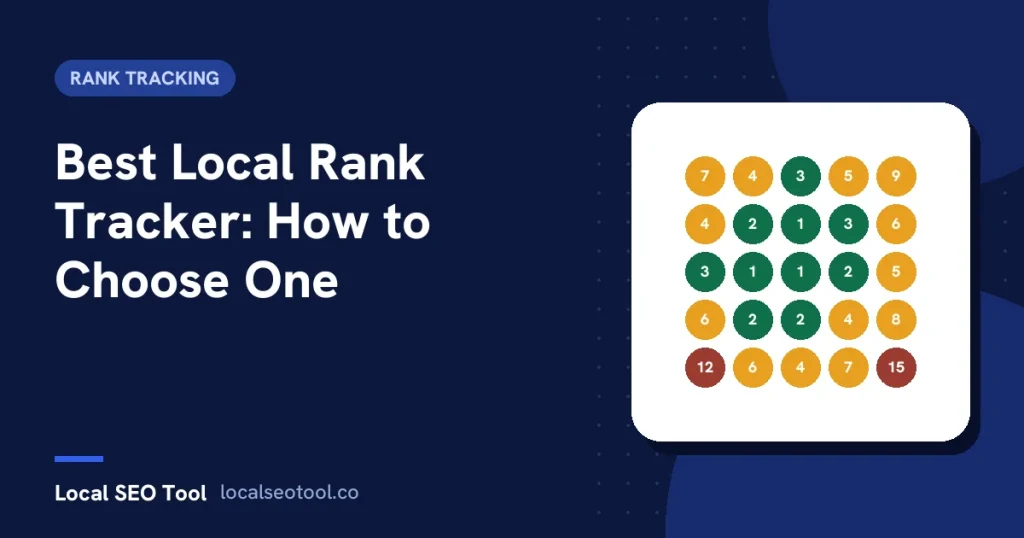
A plain tracker returns one position for a keyword. A grid tracker runs the same keyword from many coordinates across an area and colours each one.
For local search the grid is the more honest picture, because position depends partly on how far the searcher is from the business. That is Google’s own description in its local ranking guidance: relevance, distance and prominence together. One number taken at the shop door tells you about the shop door.
If you only ever report to yourself about one location that already ranks well nearby, a plain tracker may be enough and it will cost less.
2. How is scanning paid for?
This is the question that decides your annual bill, and there are two models.
Credits per point. Each point on the grid costs a credit. Local Falcon documents this in its own knowledge base: one credit is one pin, so a five by five grid is twenty five credits and a nine by nine is eighty one, with its AI report charged separately per run. The model is transparent and it scales with how often you look, which is the part that catches agencies out. A wider grid or a weekly cadence turns into a bigger invoice, and the quiet effect is that people scan less than they should.
Flat or per location. Scanning is included and you pay by how many locations you track. Predictable, and it does not punish you for measuring. Ours works this way, at sixteen dollars a month for one location and thirty seven flat for up to seven, with all forty two tools included.
Neither model is wrong. Price both at your real location count and your real scan frequency for a year before deciding, because entry prices are designed to compare well at one location and one scan.
3. What does it do after the scan?
A position is not a deliverable. If someone is paying you, the tracker needs to produce something you can send.
Check three things: whether scans can be scheduled so nobody has to remember, whether history is stored so you can put two dates side by side, and whether reports carry your branding without an upgrade. Tools that reserve white label reporting for a higher plan are common, and for an agency it is not optional, so it belongs in the price you compared.
How the better known tools differ
Facts here were checked on 2 November 2026. Exact plan prices are left out on purpose, because the public pricing trackers disagree with each other and a wrong number is worse than no number. Check the vendor’s own pricing page.
- Local Falcon is the best known grid tool and has the most depth around the grid itself. Credits do not expire, which suits lumpy usage, and new accounts get a block of free credits to try it.
- BrightLocal publishes its prices, which already puts it ahead of much of the category. Plans are split into families priced by location count, and citation building is billed separately per citation.
- Moz Local is built around listing distribution rather than rank. Its rank tracking sits in the separate Moz Pro product, so rank data means a second subscription.
- Places Scout does not publish pricing. The route in is a demo or a quote, with packages scoped by locations and keywords, and a demo rather than a self serve trial.
- Yext sells mainly to the enterprise on annual terms through a sales process, with pricing built around location count and commitment length. Powerful publisher reach, poor fit for an agency with eleven clients.
We cover each of these in more detail on our comparison pages, including what each one still does better than we do.
What to require before you pay
- A published price for your actual number of locations, in writing.
- A trial you can start without a sales call.
- Stored scan history, because the second scan is where the value is.
- Branded reporting included rather than reserved for a higher tier.
- A clear answer on whether you need to supply a Google API key and manage the quota yourself.
Matching the tool to the situation
One location, no clients. Start with a free check. Our rank checker needs no account, and if your visibility turns out to be even across your area, you may not need a grid at all.
One location, competitive city. A grid earns its cost, because this is exactly the case where you rank at the door and vanish a mile out.
Agency, five to thirty clients. Scheduling, stored history and branded reports matter more than the per scan price. Work out the annual cost at your real cadence, then decide.
Multi location brand. You need the roll up more than the map. The useful output is which branches are slipping while the group average still looks fine, which is a trend report rather than a single scan.
One thing no tracker can give you
Rank is not calls, and calls are not jobs. A grid that turns green while the phone stays quiet is telling you the keyword is wrong, the photos are weak, or the reviews are putting people off. Track direction requests and calls alongside position, and let those numbers settle any argument about whether the work is paying.
Grid settings that change what you see
Two trackers pointed at the same business on the same day will disagree, and the settings usually explain it before accuracy does.
Grid size and spacing
A wide grid with points far apart samples a big area badly. A tight grid with close points describes a small area well. Neither is wrong, but comparing one against the other tells you nothing, and changing the setting between scans resets the history you were building.
Pick the area you actually sell to, fix the spacing, and never touch it again for that location.
Where the point is measured from
Every point is a query from a coordinate. How a vendor issues that query, and whether it comes from documented sources or from driving a browser, affects both the result and whether the scan shows up in your profile statistics. Ask, especially if you report profile performance to a client.
Keyword choice
A bare service keyword shows the proximity driven picture most phone searches produce. The same keyword with a city name attached shows what a deliberate searcher sees and varies far less across the map. Track one of each and the two maps will explain each other.
Reading the result without fooling yourself
The common mistake is reporting the average position of the grid. It is a single number again, and it buries exactly the detail the grid exists to show.
Better outputs are the share of points in the top three, the shape of the weak area, and the change at each point since the last scan. The first is a number a client can hold. The second tells you where to work. The third is the only one that proves anything.
Be careful with a green centre. Almost every business is strong next to its own pin, and a map that is green in the middle and red at the edges is the default state rather than an achievement.
When a rank tracker is the wrong purchase
Three situations where the money is better spent elsewhere.
- The profile is incomplete. Measuring a half built profile precisely tells you it is half built. Fill the fields first; a free audit will list them.
- The primary category is wrong. No amount of tracking fixes a profile that is not eligible for the searches you care about.
- Nobody reads the report. If you are the only reader and you already know you rank poorly across town, spend the money on the fixing rather than the measuring.
Tracking earns its place when you are about to change something and need to know whether it worked, or when someone else is paying and needs to see it.
Switching without losing your history
Rank history almost never transfers between vendors. If the history matters, run both tools for one cycle so you have an overlap, and export whatever the outgoing tool will give you before the subscription lapses.
Then set the new tool to the same area and keywords as the old one. A switch that also changes the grid gives you two unrelated datasets and a gap in the story you tell your client.
The short version
Ask three questions and most of the market sorts itself. Does it scan a grid or a point. Does scanning cost extra every time you look. Can it produce a branded report on a schedule without an upgrade.
Price the shortlist at your real location count and your real cadence for a full year, then pick. The tool that looks cheapest at one location and one scan is rarely the one that is cheapest at thirty clients and a weekly cadence, and that is the comparison that will actually bill you.
Frequently asked questions
What is the difference between a rank tracker and a grid tracker?
A rank tracker returns one position for a keyword. A grid tracker runs the same keyword from many coordinates and colours each point, which matters locally because position depends partly on how far the searcher is from the business.
Why do two rank trackers disagree?
Usually the settings rather than accuracy. Grid size, point spacing, the coordinate each query is issued from and the keyword wording all change the result. Fix the settings and never change them for that location.
Do I need to supply my own Google API key?
It depends on the vendor. Some ask you to bring a key and manage the quota yourself, and some run checks on their own infrastructure. Ask before buying, because quota management becomes your job otherwise.
Should I report the average position of a grid?
No. It collapses the grid back into one number and buries the detail you bought it for. Report the share of points in the top three and the change at each point instead.
Will I lose my history if I switch tools?
Almost certainly. History rarely transfers, so run both for one cycle if it matters and export what you can before the old subscription lapses.
Sources
The Google documentation behind the guidance on this page. Google changes these pages without notice, so check the date on any figure before you rely on it.