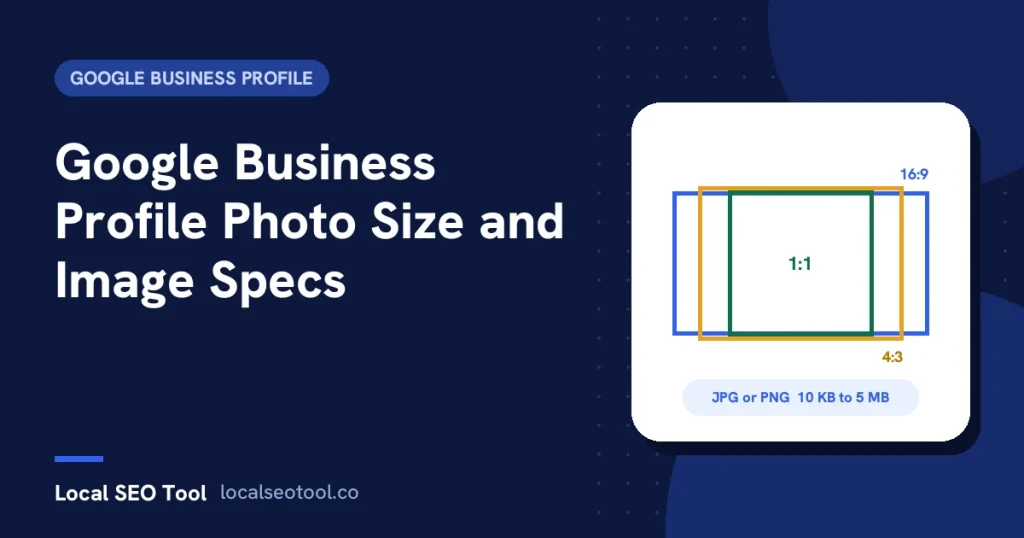
Google’s photo size rules for a Business Profile are: JPG or PNG, between 10 KB and 5 MB, at least 250 x 250 pixels, with 720 x 720 pixels recommended. Videos can be up to 30 seconds long, up to 75 MB, at 720p or higher. Google doesn’t publish separate sizes for cover photos or post images, so we suggest 1200 x 675 for the cover and 1200 x 900 for posts, with the main subject in the centre.
Google Business Profile photo size questions usually come up after something has gone wrong. The upload fails, the logo doesn’t show, or the cover photo gets cropped so the shop sign is cut in half. This page puts every size in one place, says clearly which numbers come from Google and which are our advice, and explains how to fix the common problems.
All of Google’s figures below come from its help pages on managing profile photos and videos and business-specific photos. Google changes these pages from time to time, so the date at the top of this article matters.
The full spec sheet
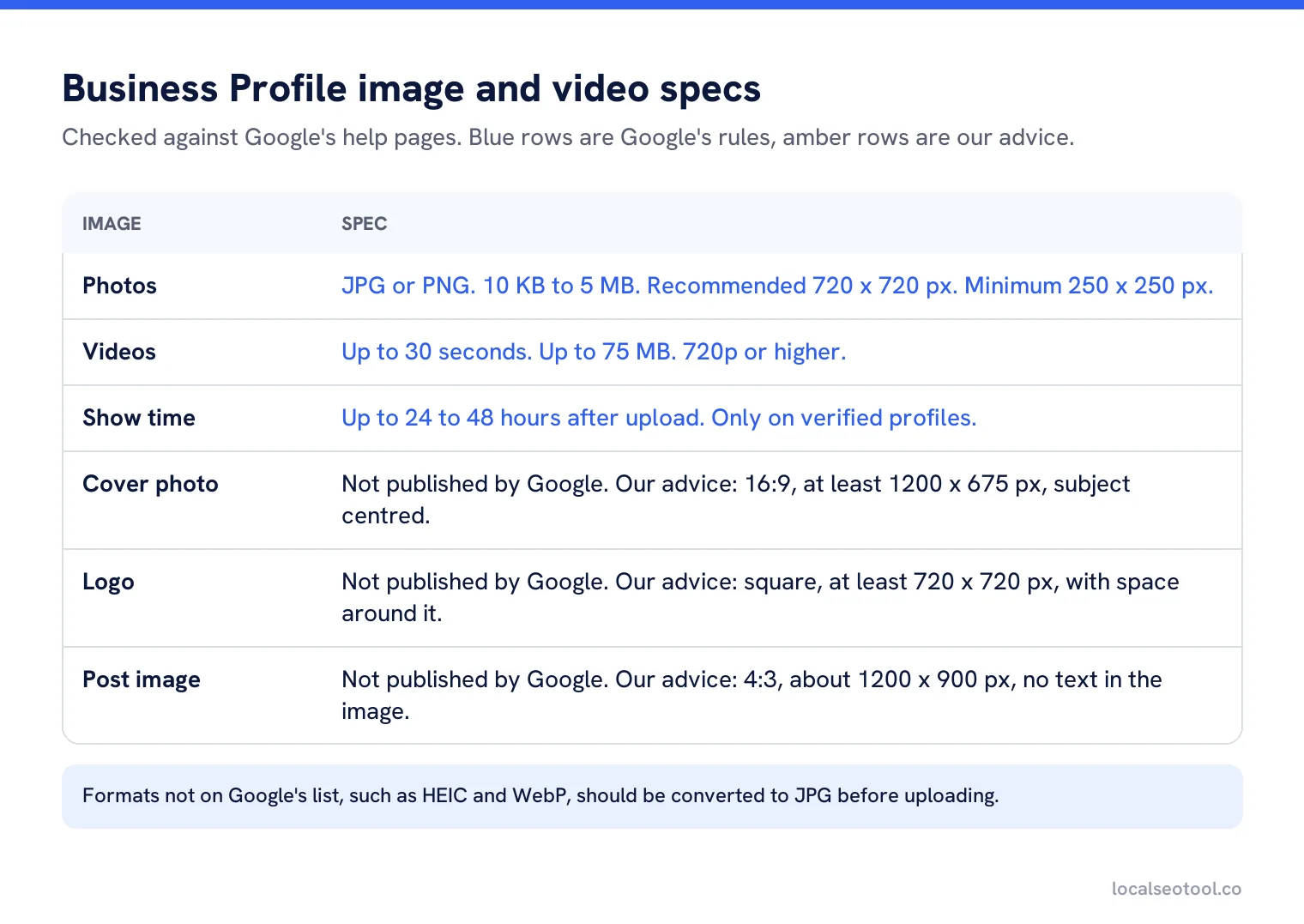
Rows marked as Google’s figures are published rules. Uploads outside them will fail or be rejected. Rows marked as our advice are sizes that work well in practice where Google hasn’t said anything. They won’t be rejected if you go a little over or under, but they give you the best chance of the image looking right on both phones and computers.
Photo size and format
| Rule | Google’s figure | What it means in practice |
|---|---|---|
| Format | JPG or PNG | HEIC from an iPhone and WebP from many websites are not on the list. Convert them first. |
| File size | 10 KB to 5 MB | A full size photo from a modern phone can be over 5 MB. Resize it before uploading. |
| Recommended resolution | 720 x 720 px | Treat this as a floor, not a target. Larger photos look sharper on big screens. |
| Minimum resolution | 250 x 250 px | Anything smaller won’t upload. |
The two catches are format and file size. iPhones save photos as HEIC by default. If you upload straight from your camera roll on a computer, you may hit a format error. On the iPhone you can switch to JPG under Settings, then Camera, then Formats, and choose Most Compatible. Or export the photo as JPG before uploading.
For file size, a long edge of about 2,000 pixels at normal JPG quality comes in well under 5 MB and still looks sharp on a laptop. There’s no benefit to uploading a 48 megapixel original. It will be shown far smaller than that.
Video size and length
Google’s limits for videos are short and strict:
- Up to 30 seconds long.
- Up to 75 MB in size.
- Resolution of 720p or higher.
Thirty seconds is less than it sounds. Plan the clip before you film: one walk through the front door, one shot of the work, one shot of the team. Turn off the sound or keep it to the natural noise of the place. Music you don’t have the rights to can get a video removed, and it adds nothing here.
Cover photo size
Google doesn’t publish a size for the cover photo. It does say two useful things about it. First, the cover photo you choose may not be the first image people see. Second, if your cover photo is low quality, or other sources suggest it isn’t the best picture of your business, Google may replace it with a photo a customer uploaded.
That second point is the one to plan for. A sharp, well lit photo of the outside or inside of your business is far less likely to be swapped than a logo on a coloured background or a photo with text over it.
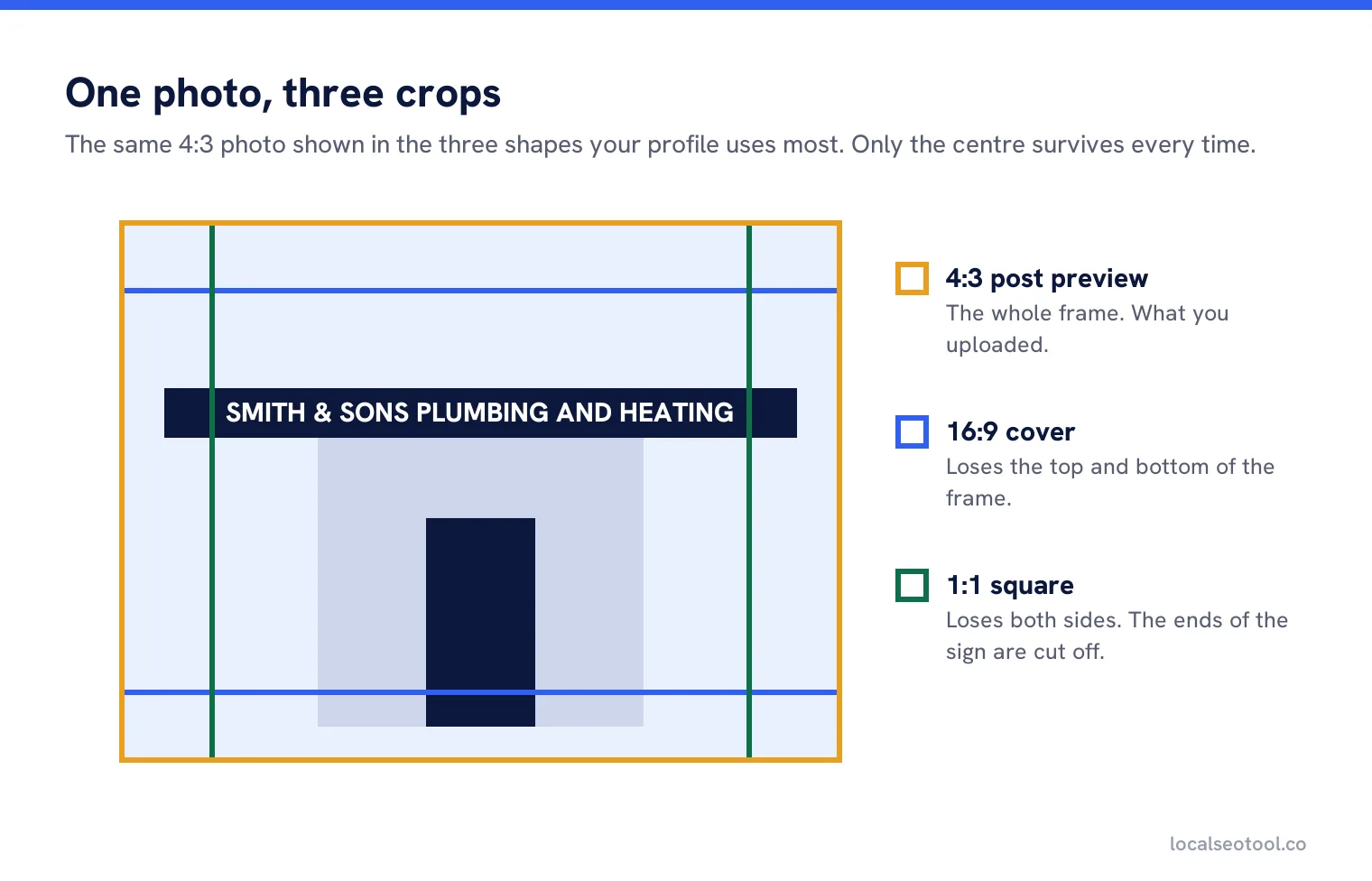
Our advice is a 16:9 landscape image at 1200 x 675 pixels or larger, with the important part in the middle. Different screens crop the edges differently, so a shop sign right at the edge of the frame can lose a letter on a phone.
Logo size
Use a square image, at least 720 x 720 pixels, with some empty space around the logo so it isn’t touching the edges. PNG is fine for logos and keeps the edges crisp.
If your logo doesn’t show at all, the size is rarely the reason. Google says a logo may not appear if the profile is missing any of these: the business name, a valid location with a street address, categories, a phone number or opening hours. Fill the missing field and the logo usually appears within a couple of days.
Post image size
Google’s help page for posts doesn’t give a separate size for post images. The general photo rules still apply: JPG or PNG, 10 KB to 5 MB, at least 250 x 250.
Post previews tend to crop toward a 4:3 landscape shape, so we suggest 1200 x 900 pixels with the subject in the centre. Avoid putting text in the image. Google’s tips for posting media to Maps list text, borders and collages as things to avoid, and text in a cropped image is the first thing to get cut off.
How many photos, and of what
Size is only half of it. Google also suggests a minimum number of photos for each type that fits your business. Not every type applies to everyone. A plumber has no rooms and a hotel has no photos at work, so skip the rows that don’t fit.
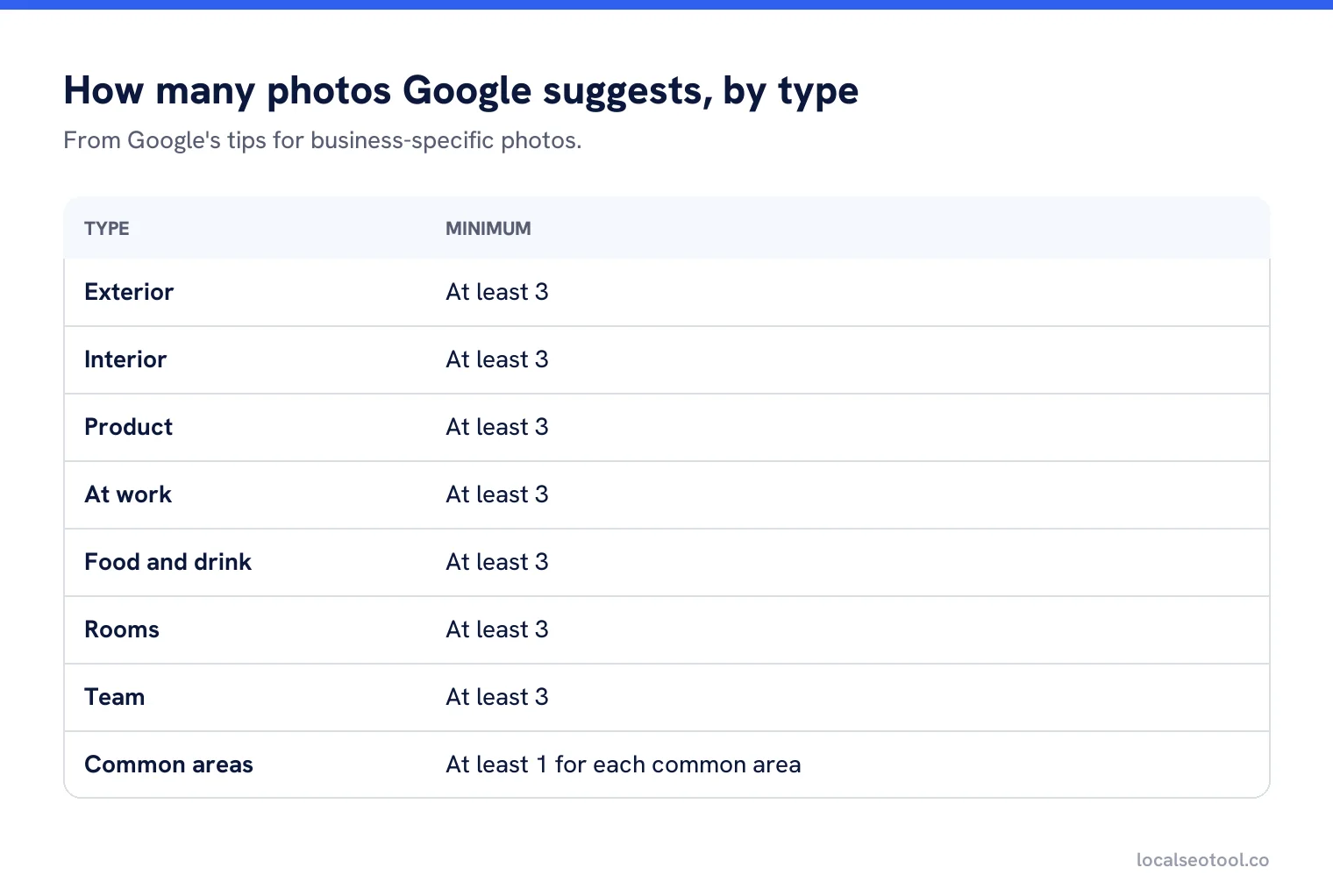
Google also asks that photos are in focus and well lit, with no big changes, heavy filters or AI. Its own words are that the image should represent reality. The Maps media tips add that you should avoid screenshots, stock photos, GIFs and collages. Real photos of your actual place, taken in daylight on a phone, meet every one of those rules.
Why your photos aren’t showing
If you uploaded photos and they haven’t appeared, check these in order. All of them come from Google’s help page.
It hasn’t been 48 hours yet
Google says photos and videos can take up to 24 to 48 hours to appear on your profile. Wait two days before doing anything else.
The profile isn’t verified
Photos only show once the profile is verified. If you’re still waiting for a code or a video call, the photos will sit as pending. Our guide to verifying your profile covers each method.
The photo was not approved
If a photo breaks a policy it’s flagged and hidden. Check for text overlays, stock images, screenshots or anything that isn’t your actual business.
It’s a duplicate
Uploading the same file twice can cause problems. Check you haven’t already uploaded it, then try a fresh export.
Photo quality removals can’t be appealed, according to Google’s media tips. If a photo is removed for quality, take a better one rather than arguing about it.
Photos for many locations
Google allows businesses with 10 or more locations to upload photos in bulk. Even so, each branch needs its own photos of its own building, team and work. A chain that uses the same five head office photos on every profile gives customers no reason to pick one branch over another, and identical images across profiles can look like stock.
Our media scheduler lets you queue photos per location so new images go out steadily, and bulk update handles shared changes, such as new holiday hours, across every branch at once. For the rest of the profile, our guide to optimising your profile field by field covers what to fill and in what order.
Keep fresh photos going out every week
Queue photos and posts for one location or a hundred. Three day free trial, no contract.
Frequently asked questions
What is the best photo size for Google Business Profile?
Google recommends 720 x 720 pixels and requires at least 250 x 250, as a JPG or PNG between 10 KB and 5 MB. In practice a photo around 2,000 pixels on the long edge looks sharper and still stays under 5 MB.
What size should my Google Business Profile cover photo be?
Google does not publish a cover photo size. We suggest a 16:9 landscape image of at least 1200 x 675 pixels, with the important part in the centre so it survives cropping on phones.
Why will my photo not upload to my Business Profile?
The usual reasons are the wrong format, such as HEIC or WebP, or a file over 5 MB. Export it as a JPG with a long edge of about 2,000 pixels and try again.
How long can a Business Profile video be?
Up to 30 seconds, up to 75 MB, at 720p resolution or higher.
Why is my logo not showing on my profile?
Google says a logo may not show if the profile is missing a business name, a valid street address, categories, a phone number or opening hours. Fill the missing field first.
Sources
The Google documentation behind the guidance on this page. Google changes these pages without notice, so check the date on any figure before you rely on it.